
Skip to content
English - United States
  • There are no suggestions because the search field is empty.

Emulate Another User

System administrators can now log in as other users to view the application exactly as they see it, including their specific permissions, configurations, and data access. This powerful troubleshooting tool eliminates guesswork when diagnosing user issues or validating permission configurations.

1. Navigate to Administration, User Management, and click on the user you wish to view. Select Login As User.
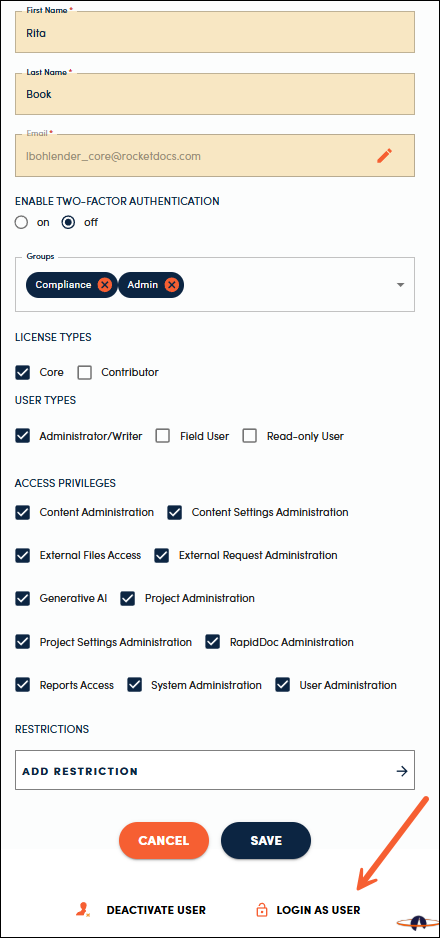
image-20260825-192539

2. You will now see a banner at the top indicating you are logged in as another user. Click the Logout button to return to your normal view.
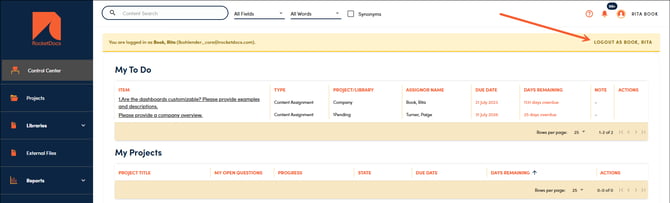
image-20260825-192844


📋Note:

Any actions completed while logged in as another user are tracked as completed by an impersonator. This information will be displayed in the applicable audit trail tabs and reports in a future release.