
Project documents can now be used to support future project completion and enhance Astro’s response generation. This optional feature is disabled by default. To enable it, please contact our Support team.
Add Past Projects to GenAI
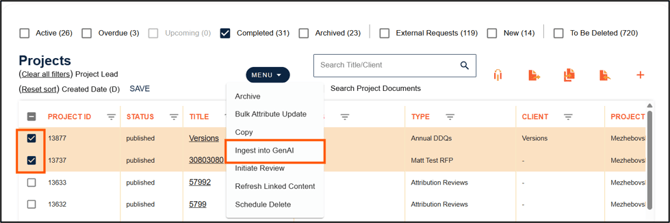
1. To make completed projects available to be used by GenAI, select some completed project and then select Ingest into GenAI from the menu. All project documents that are included for publishing in each project will become available to be used by GenAI.
This step needs to be done one time only, by a project administrator for historical projects, to make them available to GenAI. Future projects will be added to GenAI automatically.
Select Projects to be Used by GenAI
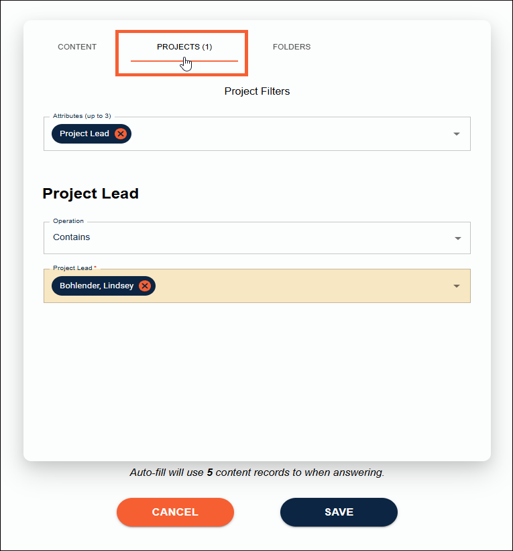
2. Access project documents through the Filters section in Astro, or when using GenAI to complete a project. Filters are now organized into separate tabs, allowing users to apply content filters, select GenAI folders, or include project documents in the process.
📋Note:
If no projects are selected, no projects will be used by GenAI. This is the opposite of content where if no content is selected, all content available to the user will be used by Autofill and GenAI.