
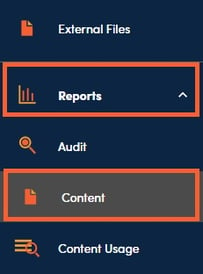
1. Content Reports are located under Reports then Content.
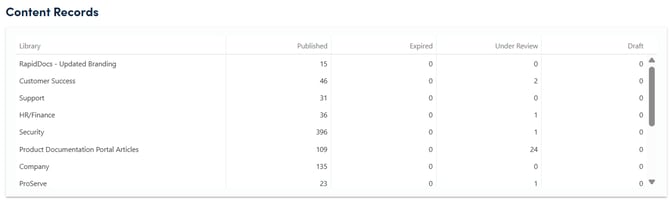
2. The Content Records section offers a high level view of how your content is organized into various libraries, as well as the record counts and statuses of the content in each library.
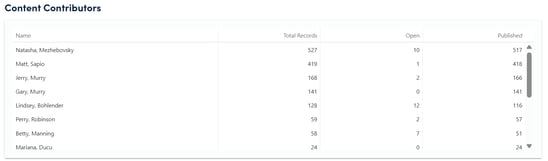
3. The Content Contributors report breaks down records by Subject Matter Expert (SME) and offers a quick reference for how many open items each contributor has outstanding.
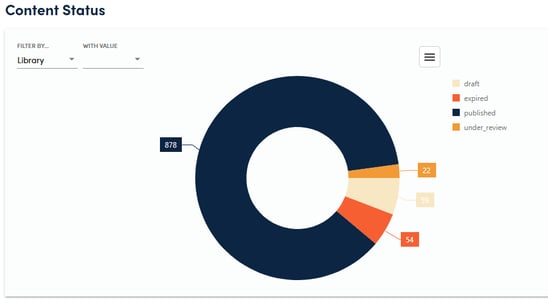
4. The interactive Content Status graphic depicts record counts and categorizes them according to Status and Libraries. Filters also allow you to drill down to a specific Library, Type, or SME. The graphic can be printed or saved as an image for use in presentations and reports.
📋Tip:
Content reports can be sorted by clicking any column header.