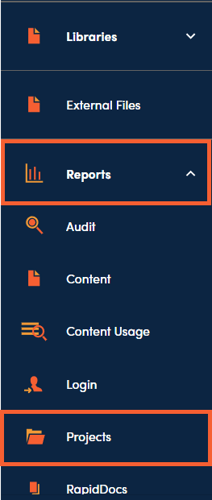
Project Reports can be accessed under Reports then Project.
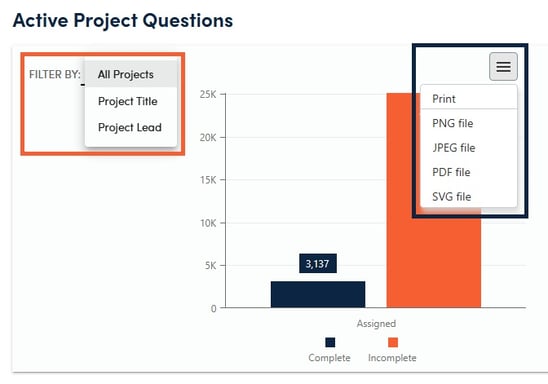
The interactive Projects Report module shows four dashboard tiles/reports that can be further filtered down, exported for further analysis, or saved as an image for use in presentations/reports.
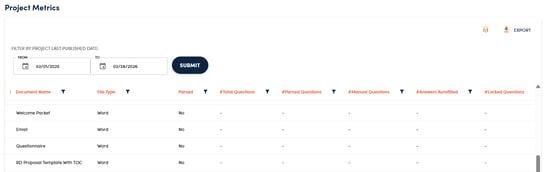
The Project Metrics report provides a question level analysis of each project document within published projects. The information available in this report includes:
-
Project Title - title of project that document is part of
-
Document Name - name of document being assessed
-
File Type - for example, Word, Excel, PDF, etc.
-
Parsed - whether the document has been parsed to identify questions
-
#Total Questions - number of questions marked in the document
-
#Parsed Questions - number of questions identified as part of the parsing process in the document
-
#Manual Questions - number of questions added manually in the document
-
#Answers Auto Filled - number of responses filled in during the autofill process in the document
-
#Locked Questions - number of responses locked to preserve customization in the document
-
#Suggested Edits - number of knowledgebase responses used in the document on which writers suggested an edit to the content owner
-
#Customized Responses - number of responses in the document marked as customized
-
#Assigned Out - number of questions in the document that were assigned out
-
#Content Linked - number of responses in the document that have been linked through autofill or manual insertion that have not been locked