
1. At the top right you can click on your profile picture or initials to open your account. Select requests.
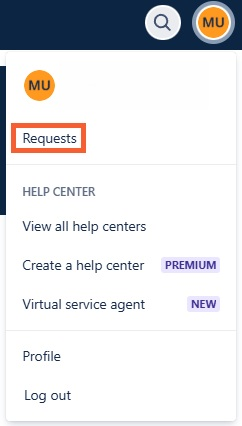
2. This will open a page of all requests you are connected to.

3. To view only the requests that you have created select created by me.

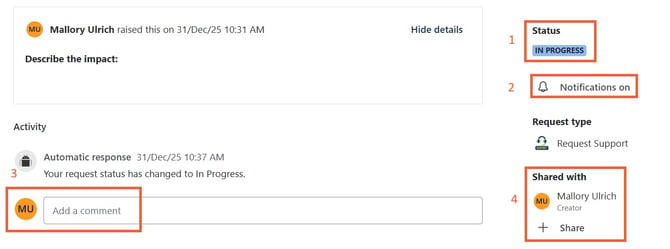
4. If you click on a ticket it will take you to the view below:
📋Note:
This view allows you to see and do many things.
-
Status - Lets you know the status of your ticket.
-
Notifications - We suggest to make sure these are on. This will allow the system to e ail you with changes to your ticket including our team writing you.
-
Activity - This will show all activity of the ticket including comments, questions, and updates from our team at RocketDocs.
-
Shared With - This will show anyone that has access to the ticket from your company. You can add your team members.