
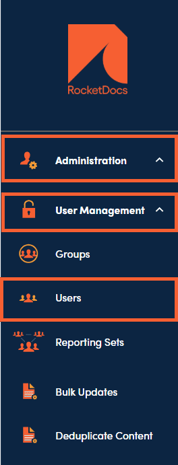
1. You can restore a user under Administration, User Management, then Users.
2. Check Show Inactive Users.

3. Browse the list for the inactive user or use the search box to find the user.

4. Click on the inactive user name.

5. Click RESTORE USER.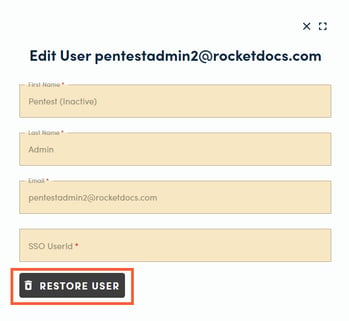
6. A pop-up will confirm that the user is now active. The user is restored to their prior status, including user information, groups, privileges, and license type.