We’re always working to improve your RocketDocs 2.0 experience. Be on the lookout for additional upcoming releases.
General Usability
Ability to Open Links in New Tab
Users can now right-click links and open them in a new tab allowing for easier navigation and multitasking.
New Look and Feel for Notification Emails
Email notifications generated from RocketDocs now have a new look and feel for an improved overall experience.
Allow Group Members to View Assignments Before Claiming from the Control Center
Users who have been assigned to a workflow step as part of a group are now able to view the assignment from the Control Center before claiming.
Content
Reassignment Permissions Enhancement
When a user is assigned to a content/question workflow step and wishes to delegate the assignment to a proxy, the user that is chosen will have the same privileges as the original assignee (based on workflow permissions.)
Projects
Copy Multiple Projects
Users can now select several projects and copy them in bulk.
Upcoming Project Notifications
Project leads will now receive a notification when a reoccurring project is about to expire. The timeline for these notifications can be customized in System Settings.
LaunchPad
Notifications Enhancement for Multiple Questions Getting Assigned to SME
SMEs will now receive one notification for all questions when they are bulk assigned from the LaunchPad.
RapidDocs
Page Navigation Buttons
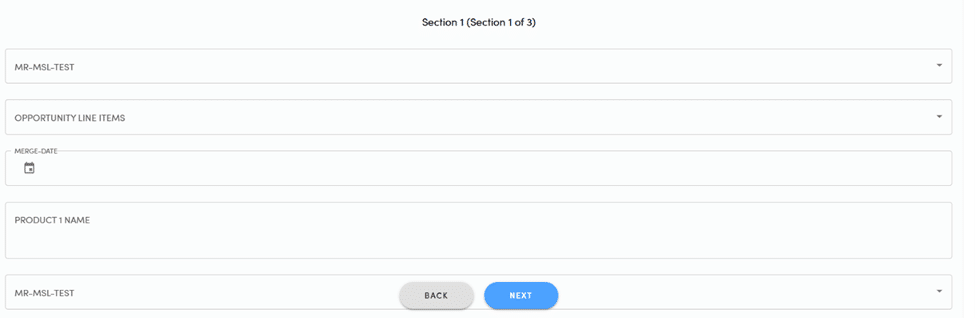
When users are in the Generate Document form, the “Next” button will display as “View Errors” if there is a field on the form preventing the user from moving forward, and clicking “View Errors” will jump to the first error on the page. Additionally, the Back/Next/View Errors/Generate buttons will remain available at the bottom of the screen regardless of where a user is on the page.
Updated SSL Radio Buttons
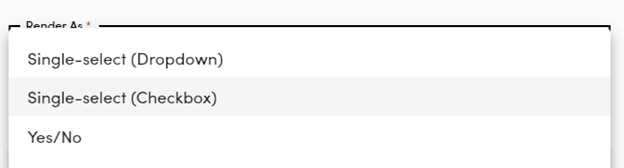
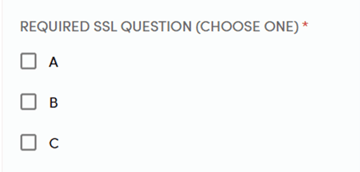
When adding a question to a RapidDoc via the questionnaire side drawer the SSL Radio Button now reads “checkbox.” When in the Generate Document form, any SSL questions that display as checkboxes will read “Choose One” appended to the end of the question.