
Skip to content
English - United States
  • There are no suggestions because the search field is empty.

Customize Email Notifications

RocketDocs email and in app notifications can be customized by the System Administrators in Notification Settings, to ensure that appropriate information is conveyed to the recipient(s). Any content attribute can be used as a placeholder in a content related notification and any project attribute can be used as a place holder in a project related notification. Notification style customization is done in HTML. Please find some pointers about notification customization below.


1. Use the tags below to format your notifications for enhanced readability.
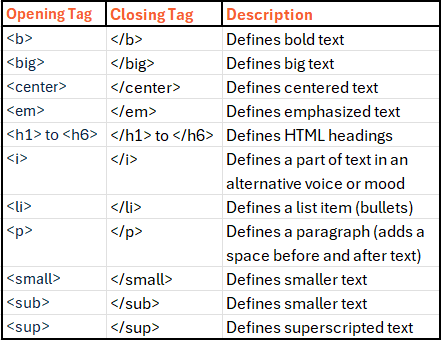
image-20260514-134433-1


2. Use the insert placeholder button to ensure that you get the syntax exactly right.


Example:

<p>A new project has been uploaded in the **Company** RocketDocs

instance and assigned to you for completion.</p>

<p><b>PROJECT DETAILS</p></b>

<p><li>Project Name: **project-Title**

<p><li>Project Type: **project-ProjectType**

<p><li>Delivery Format: **project-attr-Delivery Format**

Delivery Format: **project-attr-Delivery Format**
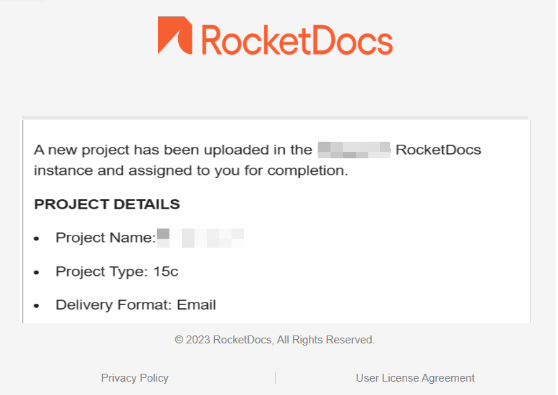
 

image-20260514-134550.png