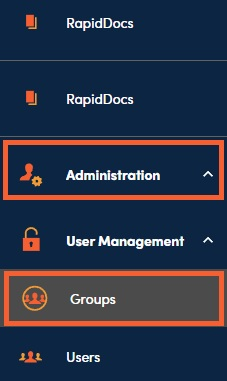
1. Navigate to the Groups section under Administration, User Management, then Groups in the left side panel.
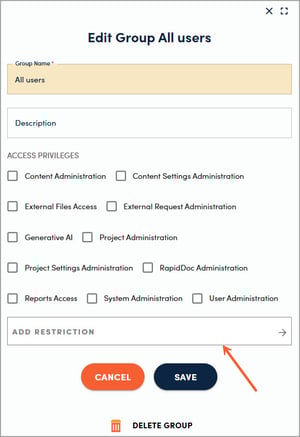
2. To add a restriction, click on the name of the group you want to edit. Click Add Restriction toward the bottom of the side panel.
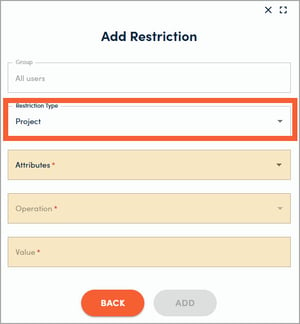
3. Choose whether you want to add a Project or a Content restriction and select the appropriate criteria for the items you wish to restrict from view for this user group. Be sure to click Add between each restriction, then click Back when finished and Save on the prior panel.