We are excited to share the latest updates coming with version 2.58.0, scheduled for release on the evening of Tuesday, July 29, 2025 (ET). As part of our regular update cadence, RocketDocs deploys enhancements on the last Tuesday of every month.
Please note: our maintenance window is between 8:00 PM and 11:00 PM ET, during which you may experience brief service interruptions or irregularities.
Projects
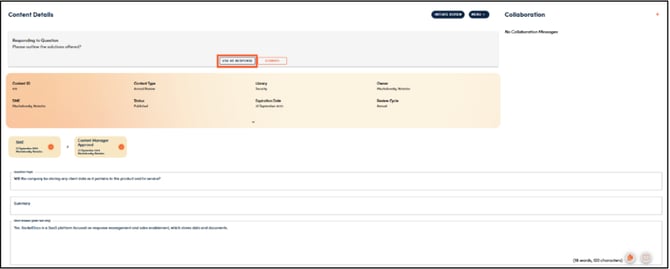
Added ‘Use As Response Button’ to Content Details Page:
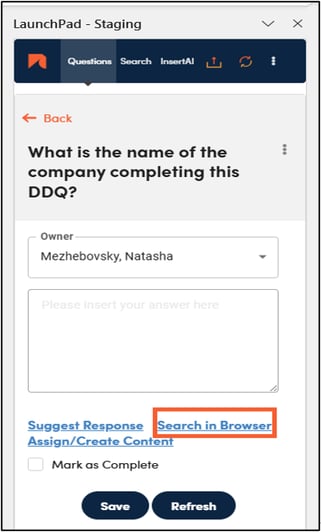
When using the ‘Search in Browser’ button in the LaunchPad, users can now navigate to the ‘Content Details’ page and insert the response into their project directly from there by clicking ‘Use as Response.’ In your project document, click “Refresh” to pull in the answer.
Excel Questionnaires: Parse Up to 30 Tabs
As questionnaires grow more complex, RocketDocs keeps pace—now supporting automated draft completion for spreadsheets with up to 30 tabs, delivering even the most intricate questionnaire drafts in minutes.
LaunchPad
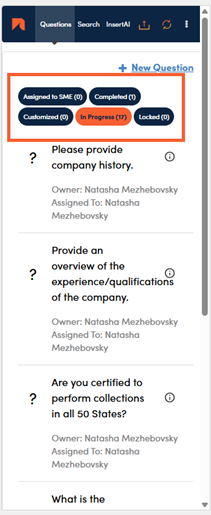
We have updated the look and feel of the LaunchPad to simplify the user experience and add valuable functionality. In the LaunchPad you will find:
-
Updated color and branding scheme, to match the rest of the platform
-
Simplified and made naming conventions more intuitive
-
Simplified searching
-
Enhanced filtering ability to enable users to get to the question(s) they are looking for at lightning speed
Other Key Updates
Access to Astro Directly in the RocketDocs Application:
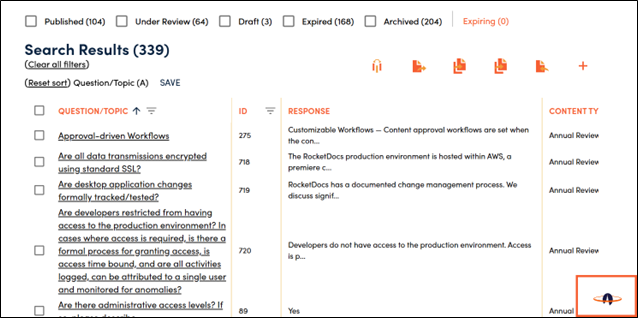
Astro, the RocketDocs Generative AI chatbot, is now available to all users who have Generative AI enabled directly in RocketDocs. Get AI-generated responses anytime, based on content available to you in your organization’s knowledge base. Previously, Astro was only available within Microsoft Teams.
To have generative AI enabled, please reach out to your Customer Success Manager or to our support desk at support@rocketdocs.com.