
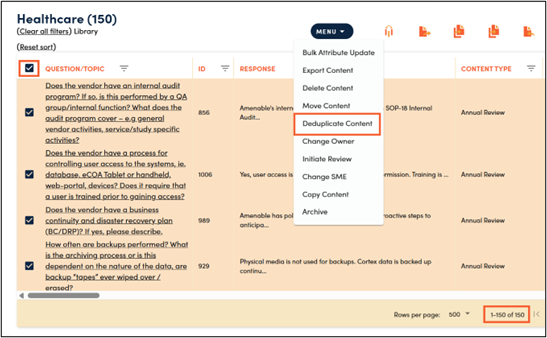
1. Select content that you want to run deduplication on via the checkboxes next to the records and then select ‘Deduplicate Content’ from the menu.
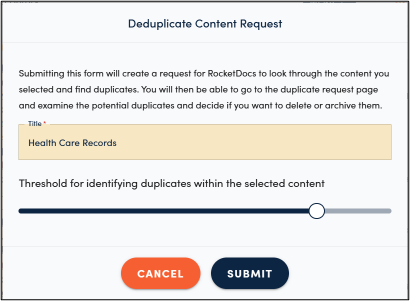
2. Name the subset of content you are trying to deduplicate. Select the confidence threshold that you would like to use for the duplication. The recommended setting to start is 80. You can increase the threshold to use a narrower criterion for duplicate identification; this will identify fewer duplicates. Decreasing the threshold will loosen the criteria for identifying duplicates and will result in more potential duplicates to be flagged for your review. Click Submit.
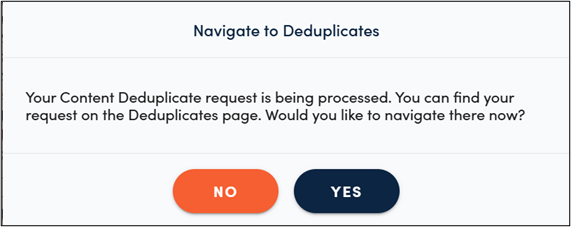
3. You will receive a pop up asking if you would like to navigate to the Deduplication module. Clicking YES will take you there. Clicking NO will keep you on the content page. You can then navigate to the Deduplication module via the left side navigation pane.
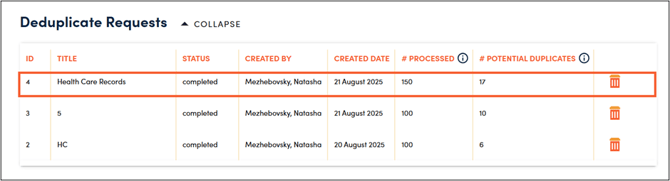
4. Click on the deduplication request that you would like to work on. This will collapse the selection module and open up the resulting content records for your review.
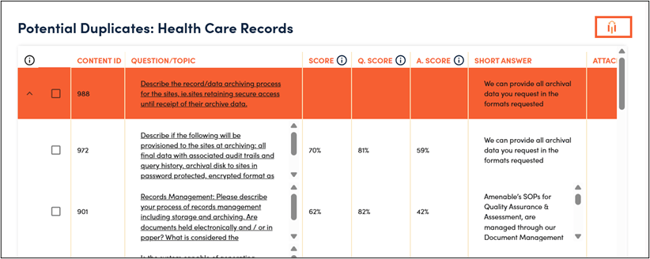
5. You can use the icon on the top right of the table to add, remove, or reorder the attributes in your view.
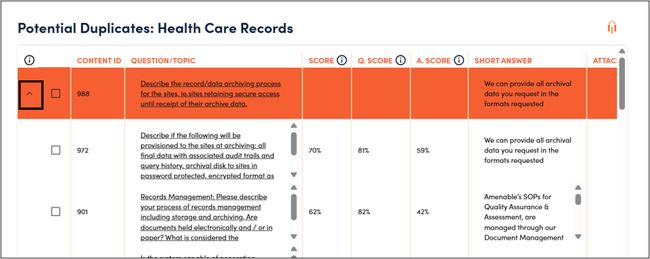
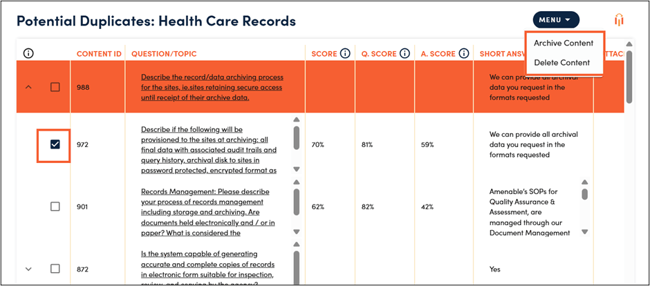
6. Use the arrows next to each parent record to expand a list of potential duplicates.
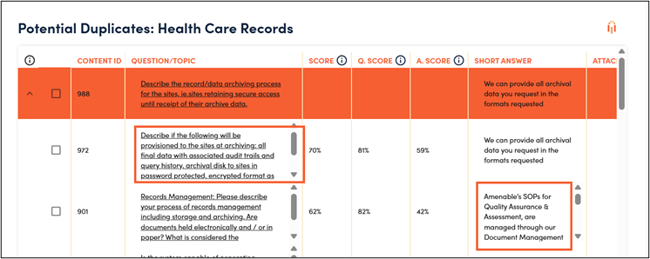
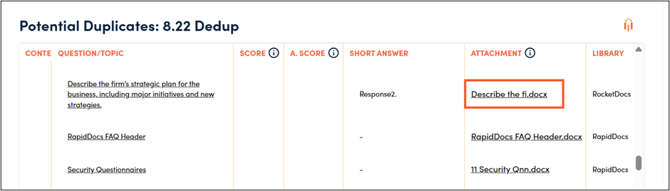
7. You will be able to review the question and answers to identify duplicates directly in the content grid. You will need to download documents from the attachment column to review responses stored as attachments.
8. Once you identify duplicates you will have an option to delete or archive them. Any records archived or deleted will be removed from all other duplicate sets in the list.
💡 Tips:
-
RocketDocs uses a question score (similarity between parent and children’s question/topics), an answer score (how well a child record’s response answers the parent records question/topic) and an average score (average between the question-and-answer score) in identifying duplicates. If any of the three numbers meets or exceeds your selected threshold the content record will appear as a potential duplicate.
-
Don’t be afraid to play around with the thresholds to identify one that works best for you and your knowledgebase.
-
Be mindful when selecting the subset of content for deduplication. You will want to filter down to a subset of similar content records. You may want to filter down by:
-
Product
-
Fund/Strategy
-
Firm Information
-
Department
-
-
When deciding which records to keep vs. delete/archive you may want to take factors like the last published date, last edited date, and usage count into consideration.
-
When deciding whether to keep or archive/delete a content record, consider whether the benefit you will gain from retaining the content record is worth the effort it takes to keep it up to date.
-
When deciding whether to delete or archive, please consider your organization’s data retention policies.