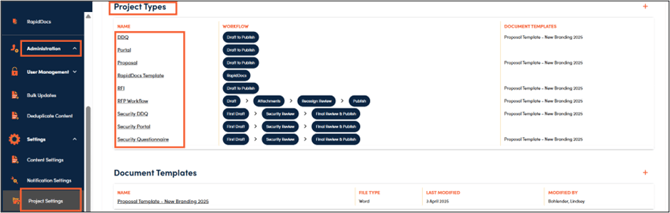
1. Navigate to Administration, Settings, and Project Settings. Scroll to Project Types and click on the one you would like to edit.
2. Make any changes that you wish to make to the workflow and click Save.

1. Navigate to Administration, Settings, and Project Settings. Scroll to Project Types and click on the one you would like to edit.
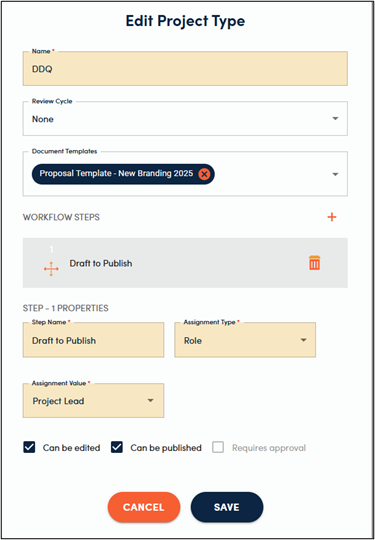
2. Make any changes that you wish to make to the workflow and click Save.