
We are pleased to announce the RocketDocs 2.69.0 release, is scheduled for June 30, 2026, during the standard maintenance window (8:00 PM – 11:00 PM ET). Brief service interruptions may occur during this period.
Please see the recording from our release updates meeting below:
Content
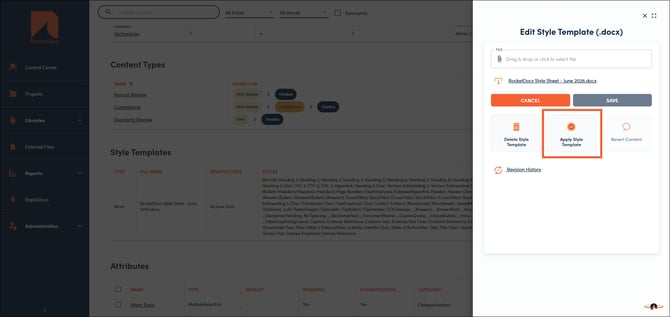
Style Sheet Updates - Bulk Apply
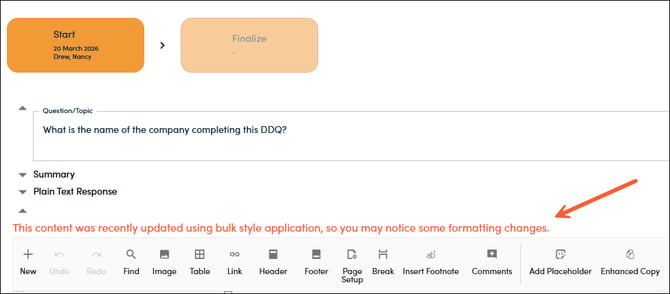
Streamline style sheet updates by using the new "Apply Style Template" button which allows you to apply style definitions to your content records at once. Updated content records will show a notification stating the formatting may have changed when the styles were updated.
Group Assignments - Update and Save
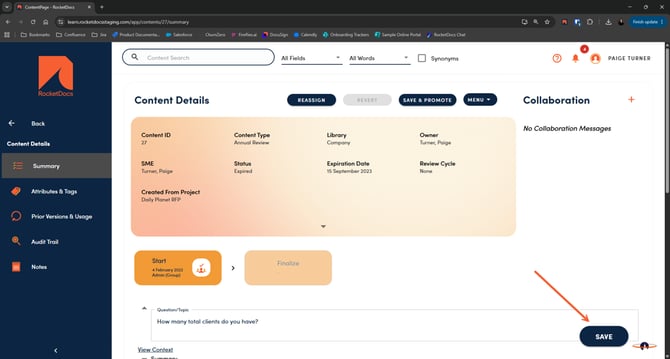
We heard from some customers that it would be ideal to have a team of reviewers update a content record at the same time while using group assignments. Users can now update and save changes on group assignments as well as save and promote without claiming them in order to keep the item in the queue for the remaining group members. The outstanding and overdue assignment notifications stay visible to the entire group until someone promotes the item on to the next workflow step or publishes the item.
Projects
Excel - Dropdown Lists
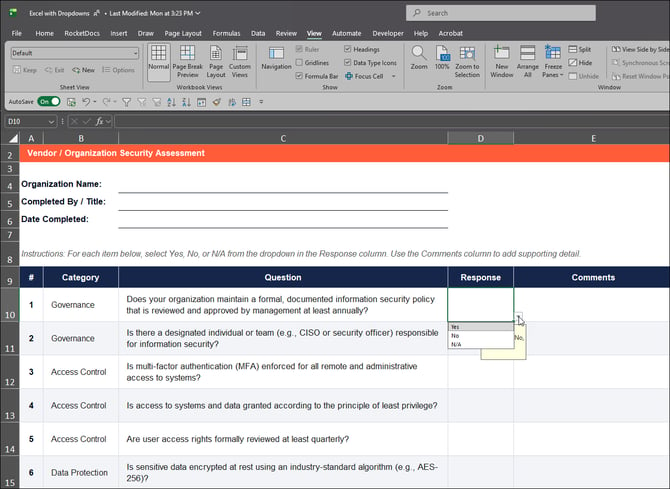
Questionnaires often contain dropdown response fields or data validation rules for the allowed responses in an Excel file (ex. yes, no, n/a). RocketDocs now utilizes generative AI to select a response within the allowed options in order to streamline filling out these questionnaires. You will be able to see that this is a generated response in LaunchPad, and complete the human-in-the-loop review before marking as complete.
📋Note:
Autofill works with GenAI to classify value within list of options regardless of whether or not you select the "GenAI" option during question marking, but user needs to have GenAI permission enabled on their account to access this feature. Additionally, you are able to re-upload the file and run again to fill narrative responses in a comment column.
Launchpad
Mark Questions in LaunchPad - Excel
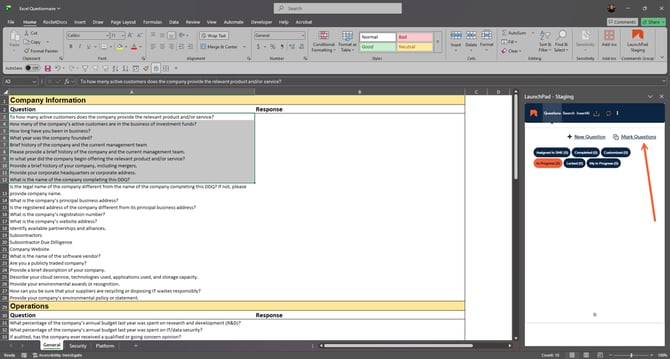
Last month, we released bulk question marking in Word from LaunchPad, and now this feature is available in Excel as well. This eliminates the need to manually mark individual questions within the Excel file, and allows you to skip sections that may not require a direct response.
📋Note:
In Excel, all selected cells containing text will be marked as questions. The cells selected must be contiguous.
RapidDocs
Bulk Options
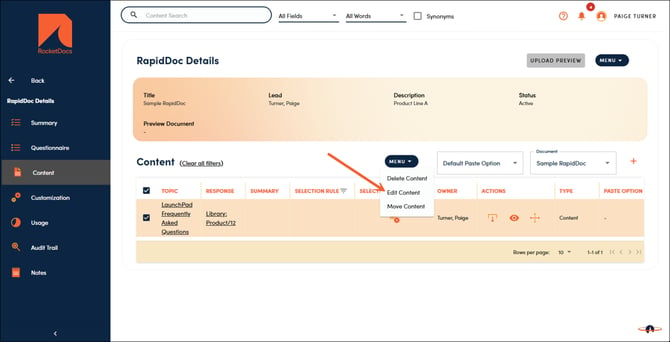
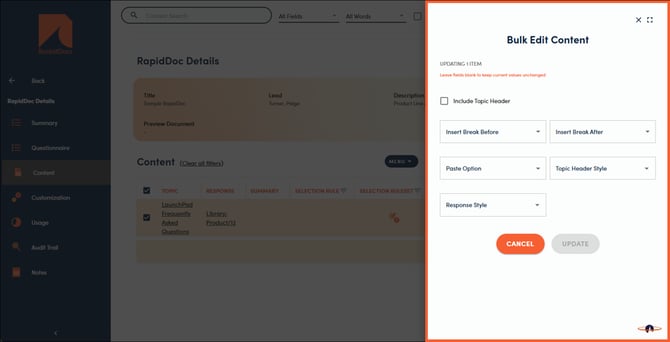
RapidDocs can be complex with hundreds of variable pieces of content included. This update allows you to select a set of content insertions and apply settings all at once instead of one at a time. Simply check the box next to the items you want to update, click on 'Menu' and 'Edit Content' to access the options.
📋Note:
Selecting 'None' in any of the dropdowns will clear that option for all selected items. Leaving them blank will not change the current values.