We are pleased to announce the RocketDocs 2.67.0 release, is scheduled for Tuesday, April 28, 2026, during the standard maintenance window (8:00 PM – 11:00 PM ET). Brief service interruptions may occur during this period.
Here is a video walkthrough of our updates:
Content
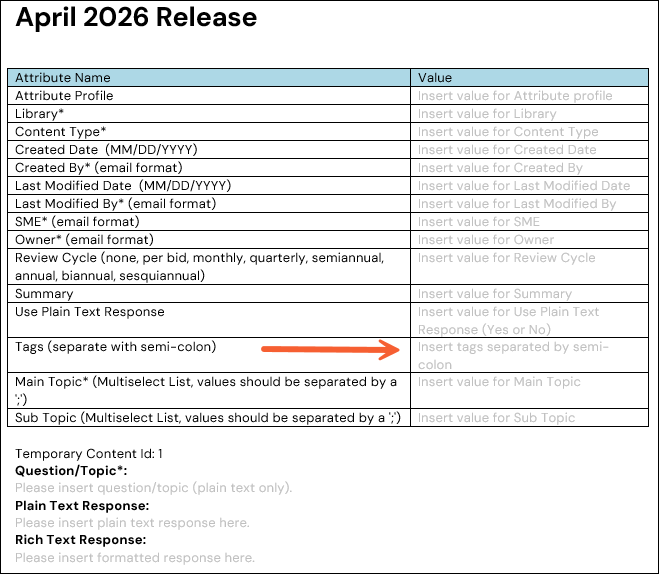
Word Content Import: Add or Modify Tags
Using the Word import template, you can now add Tags for content records during import. For more information, see this article: Microsoft Word Content Import Guide
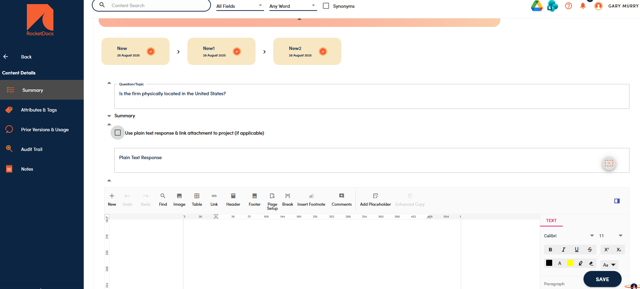
Use Plain Text Response: Refresh Enhancement
When a user refreshes a project document, any updates made to the content option “Use plain text response & link attachment to project (if applicable)” will be respected. For example, if originally the checkbox on a content was checked but subsequently unchecked, once the project document is refreshed the rich text answer will be inserted and the associated attachment will be removed from the project documents list.
For a more detailed explanation, see this article: Add Attachment to Use with Plain Text Response
Projects
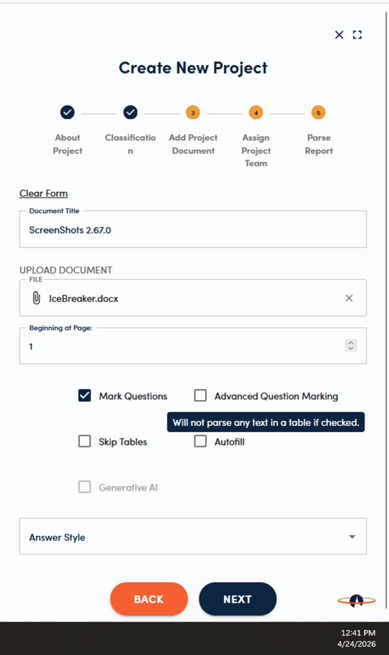
Skip Tables During Parsing
Sometimes Word questionnaires contain complex tables that are generally completed manually. Based on feedback from customers, we have introduced the option to skip these tables during the initial parse (mark questions) and autofill process. This will help when tables are used for instructions or items that need to dynamically calculated.
For more information, please see this article: Add New Word Project
Administration
Workflows: “Requires Approval” Removed for Last Step
In order to streamline workflows, the “Requires Approval” checkbox is now disabled in the last workflow step. This will remove the Save & Approve button for the final step in the workflow. We recommend having the “Can be edited” and “Can be published” options selected for your final step.
For more detailed information, refer to these articles:
📋Note:
This feature is only available to core users with content settings administration and/or project settings administration access privileges
RocketVault
Add Content
Users can now add content and assign it to a SME from within RocketVault.
For more information, please see this article: RocketVault User Guide (Browser Extension)
Suggest an Edit
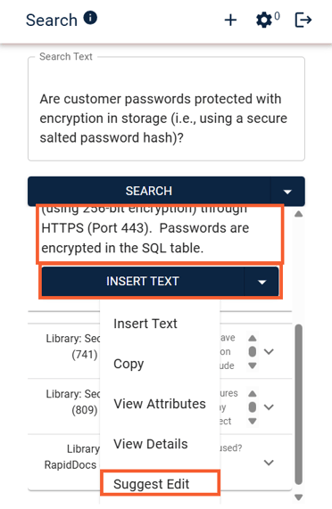
Users are now able to suggest an edit from within RocketVault.
For more information, please see this article: RocketVault User Guide (Browser Extension)